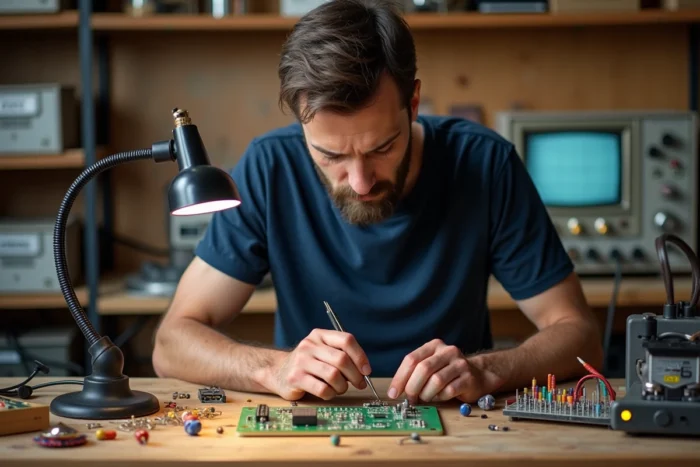
Choosing your amateur electronics tools involves balancing the initial budget with the ability to carry a project from schematic to functional circuit. The right criterion is not the number of instruments on the workbench, but the coverage of the actual steps: simulating, prototyping, soldering, measuring, correcting. This article compares the expenses and training resources that make the difference between a shaky prototype and a reliable assembly.
SPICE Simulation Before Prototyping: A Benefit Ignored by Tool Lists
Most equipment guides start with the soldering iron and multimeter. They overlook a step that saves hours of debugging on a breadboard: circuit simulation before any soldering.
KiCad (versions 7 and 8) now integrates a SPICE simulator directly into the schematic editor. The KiCad Users Survey report published in November 2024 confirms a significant increase in the use of integrated simulation among non-professionals, particularly to validate switch-mode power supplies before moving to physical prototypes.
LTspice, distributed for free by Analog Devices, remains the reference for simulating voltage regulators or active filters. Qucs-S, an open-source software, offers an alternative with a more accessible graphical interface for beginners. These tools allow testing a complete schematic without purchasing any components, reducing waste and the time spent searching for a design error on a soldered circuit.
Those starting in electronics should check the tool list from Mon Club Elec on Spot Emploi to find training platforms suited to this approach.

Comparison of Design and Simulation Software for Amateur Electronics
The choice of design software depends on the type of project targeted. Here is a summary table of the three most used tools by French-speaking amateurs.
| Software | License | Integrated SPICE Simulation | PCB Design | Learning Curve |
|---|---|---|---|---|
| KiCad (v8) | Free, open-source | Yes | Yes, no size limit | Medium |
| LTspice | Free (Analog Devices) | Yes, very comprehensive | No | Moderate |
| Qucs-S | Free, open-source | Yes (via external engine) | No | Low |
KiCad covers the entire chain, from schematic to Gerber file sent to a PCB manufacturer. In contrast, LTspice excels in the accuracy of analog component models, with a library of SPICE models maintained by Analog Devices. Qucs-S is suitable for beginners who want to simulate without manually configuring a SPICE engine.
For a beginner, combining KiCad (design and routing) with LTspice (analog validation) covers almost all needs without spending a dime on software licenses.
Measuring Equipment: Multimeter, Oscilloscope, and Adjustable Power Supply
Three instruments form the foundation of any amateur test bench. Their quality directly affects the ability to diagnose a problem.
- The digital multimeter measures voltage, current, and resistance. A model with continuity test function and capacitance measurement is sufficient for most microcontroller-based projects.
- The digital storage oscilloscope allows visualization of signals over time. Entry-level two-channel models cover the frequencies encountered in Arduino or ESP32 projects. An oscilloscope reveals what a multimeter cannot show: noise, oscillations from a poorly decoupled regulator, and edges of digital signals.
- The adjustable laboratory power supply (voltage and current) protects assemblies by limiting the current delivered. A power supply with current limiting prevents burning out an entire prototype during an accidental short circuit.
The soldering iron deserves a separate mention. A temperature-controlled station, as opposed to a basic iron without thermal control, extends the lifespan of the tips and allows working on SMD components without damaging them.
Low Voltage Safety: The Limit for Amateur Projects to Respect
Since 2023, several organizations and French-speaking maker communities have emphasized a point that generic tutorials often overlook: the strict separation between very low voltage safety work and work on 230 V mains. The “Makers, work in 12 V!” campaign launched by INRS in 2023 (updated in 2024) explicitly recommends that amateurs reserve mains voltage work for installations carried out by qualified professionals.
In practice, this means that projects powered below 50 V (Arduino, Raspberry Pi, sensors, DC motors) fall under the TBTS domain and do not pose a risk of direct electrocution. Conversely, any project involving a connection to the 230 V network (light dimmers, relays controlling mains loads) requires electrical qualification skills and certified components.
Prototyping and Online Training Resources
Video tutorial platforms complement the technical documentation from manufacturers. French-speaking sites like Passion Electronique or Electrotoile offer structured courses, from basic components to communication protocols (UART, I2C, SPI). These resources allow learning at one’s own pace, with concrete projects to replicate.
Specialized forums (Reddit r/AskElectronics, French-speaking Arduino communities) remain the best place to get a diagnosis on a non-functioning assembly. Posting a clear photo of the circuit, the KiCad schematic, and a description of the observed behavior significantly speeds up useful responses.
The most effective path combines software simulation, prototyping on a breadboard, then soldering on a PCB manufactured online. Each step validates the previous one and limits costly errors. An amateur who masters this sequence produces more reliable circuits than a hobbyist equipped with expensive instruments but lacking a method.